
How can I delete my account?
Updated 2024-06-13
If you are on the Event Details page, click the left arrow in the top left, as shown below.

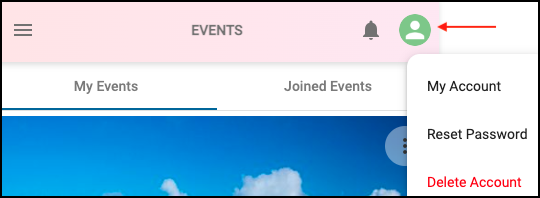
On the Events page, click the User icon in the top right, as shown below.
Then click ‘Delete Account’.
NOTE: ALL PHOTOS, MEDIA AND ACCOUNT DATA WILL BE PERMANENTLY DELETED AND CANNOT BE RECOVERED.