
How can I reset my password?
Updated 2024-03-04
- On your Event Details page, click the left arrow in the top left, as shown below.

- On the EVENTS page click the user icon in the top-right and select ‘Reset Password’. Enter your current password, then enter the new password, and enter it again to confirm. Then click the ‘Reset’ button to save the new password.
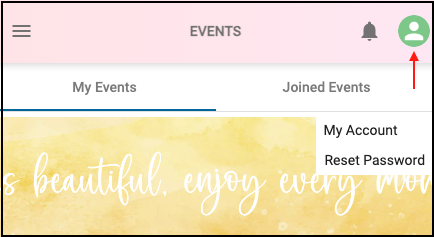
- If you created your account with ‘Login with Google’ or ‘Login with Facebook’ the ‘Reset Password’ option will not be displayed in the menu.