How do I view a KeepSake message?
Updated 2024-02-15
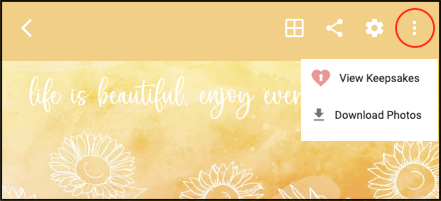
Logged in as the Host, click the 3-dot icon in the top-right and select ‘View Keepsakes’. Note the KeepSake feature is only available with the Premium Plus Plan. KeepSake messages can only be viewed by the Host.